
Introduction: The Scheduling Platform Debate
The scheduling tool market has a clear incumbent—Calendly—and an increasingly popular challenger: Cal.com. The debate between them often centers on open source versus proprietary, self-hosting versus cloud, and cost structure differences.
But there's a third perspective that neither platform represents: what if scheduling is just the beginning? What if the real value lies not in how you book meetings, but in what happens during and after them?
This comparison will give Calendly and Cal.com their fair analysis, then introduce PepoSmart's approach—which we believe represents where scheduling platforms need to evolve with AI Meeting Intelligence.
Calendly: The Established Standard
What Calendly Does Well
Calendly pioneered the modern scheduling link paradigm and remains the most polished, mainstream solution. Its strengths include an extremely intuitive interface requiring minimal setup, excellent reliability with proven infrastructure handling millions of bookings, broad integration ecosystem connecting with most popular tools, strong brand recognition that invitees immediately understand, and enterprise-grade security for compliance-sensitive organizations.
For teams that want scheduling to "just work" without technical involvement, Calendly delivers a frictionless experience.
Calendly's Limitations
Calendly is a closed system with no self-hosting option. Pricing scales linearly with team size, becoming expensive at scale. The platform offers limited customization beyond provided options. And critically, Calendly offers no meeting intelligence features—it stops at booking.
Cal.com: The Open Source Alternative
What Cal.com Does Well
Cal.com has built a legitimate alternative on open-source foundations. The platform is fully open source, meaning you can inspect the code and contribute to development. Self-hosting is available for organizations wanting complete control. Cal.com offers more aggressive pricing with a more generous free tier. There's API flexibility for developers who want deep customization. And Cal.ai adds natural language scheduling capabilities.
For technically sophisticated teams, especially those with privacy concerns or customization requirements, Cal.com presents a compelling option.
Cal.com's Limitations
The self-hosted option requires technical resources to maintain. While improving, Cal.com has less polish than Calendly in some areas. The integration ecosystem is still maturing. And like Calendly, Cal.com treats scheduling as the end goal—there's no meeting intelligence layer.
Head-to-Head Comparison
User Experience
Calendly wins on pure polish and simplicity. Everything is intuitive, onboarding is smooth, and the booking experience is refined through years of iteration.
Cal.com is good and improving, but still feels slightly less polished in certain workflows. The open-source nature means development priorities are community-driven, which doesn't always optimize for UX smoothness.
Pricing Structure
Calendly charges $12 per user per month for Standard and $20 per user per month for Teams. A 20-person team pays $400 monthly for team features.
Cal.com offers a more generous free tier and lower per-user pricing. They also offer self-hosting where you pay only for infrastructure. The same 20-person team might pay $200 monthly or less on Cal.com.
For cost-conscious teams, Cal.com offers clear savings.
Customization and Control
Calendly offers configuration within defined parameters. You can customize booking pages, notifications, and workflows within the options Calendly provides.
Cal.com offers deeper customization through open source access. You can modify the codebase, self-host on your infrastructure, and build custom integrations through the API.
For teams with developer resources and specific requirements, Cal.com provides more flexibility.
Enterprise Readiness
Calendly has years of enterprise deployments and offers robust security certifications, SSO, and compliance features.
Cal.com is building enterprise capabilities but hasn't reached the same maturity level. Large organizations with strict compliance requirements may find Calendly better suited currently.
The Missing Dimension: What Happens After Booking?
Here's what both platforms miss: scheduling is not the end goal. Getting a meeting on the calendar is just the beginning. The real business value comes from what happens during and after that meeting.
Both Calendly and Cal.com treat meetings as transactions—book them, confirm them, done. Neither platform helps you capture what was discussed, analyze sentiment or intent, ensure follow-through on commitments, or build relationship intelligence over time.
This is the opportunity PepoSmart addresses.
PepoSmart: The Meeting Intelligence Platform
Beyond Scheduling
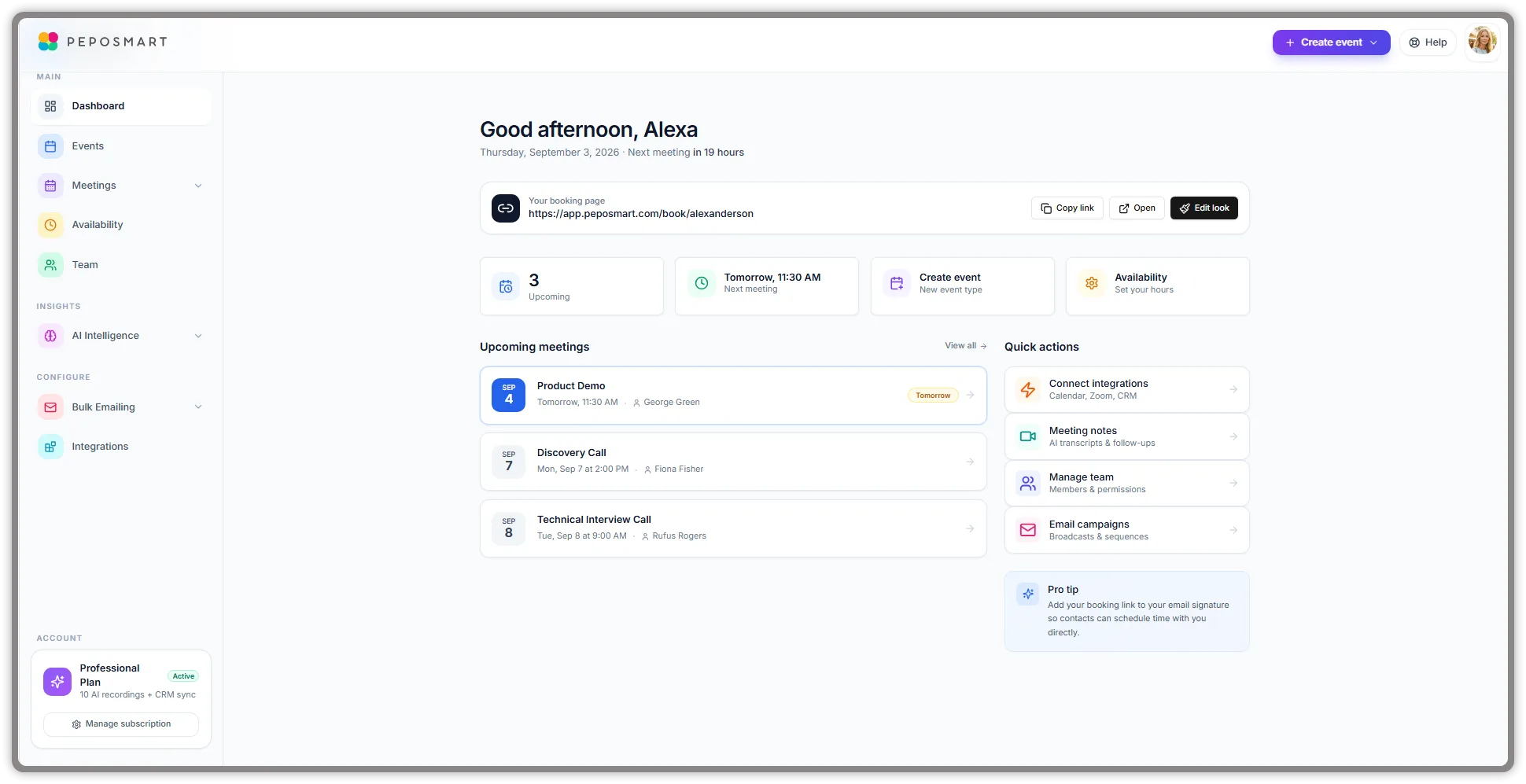
PepoSmart provides scheduling capabilities—customizable booking pages, calendar sync, team scheduling, the features you'd expect. But scheduling is our foundation, not our ceiling.
Our core differentiation is Meeting Intelligence: AI-powered capabilities that transform every meeting into actionable business data.
AI Meeting Capture
When you have a meeting through PepoSmart, our AI bot joins automatically. It creates complete transcripts, identifies speakers, and timestamps the conversation. But transcription is just the starting point.
Intelligent Analysis
Our AI analyzes every meeting to extract sentiment indicators showing emotional tone throughout the conversation, buyer intent signals for sales conversations, key topics discussed and categorized, action items with identified owners, and questions raised that need follow-up.
Smart Follow-Up Generation
Based on meeting content, PepoSmart automatically generates contextual follow-up email drafts. If you discussed pricing, the draft references pricing. If you committed to sending materials, that's included. You review, customize placeholders, and send.
Cross-Meeting Intelligence
Perhaps most powerful: PepoSmart connects insights across all your meetings. Every conversation with a contact updates their relationship profile with topics discussed across interactions, sentiment trends over time, engagement patterns, and key interests mentioned.
Before any meeting, you can review complete context from all previous interactions with that contact.
Natural Language Search
Ask questions about your meeting history in plain English: "What did the Acme team say about their budget?" "Which prospects mentioned concerns about implementation?" Get precise, sourced answers from your transcript database.
Three-Way Comparison
| Feature | Calendly | Cal.com | PepoSmart | Winner |
|---|---|---|---|---|
| Scheduling Polish | ✓ Excellent | ✓ Good | ✓ Good | Calendly |
| Open Source | ✗ No | ✓ Yes | ✗ No | Cal.com |
| Self-Hosting | ✗ No | ✓ Yes | ✗ No | Cal.com |
| AI Meeting Bot | ✗ No | ✗ No | ✓ Yes | PepoSmart |
| Transcription | ✗ No | ✗ No | ✓ Yes | PepoSmart |
| Sentiment Analysis | ✗ No | ✗ No | ✓ Yes | PepoSmart |
| Smart Follow-Ups | ✗ No | ✗ No | ✓ Yes | PepoSmart |
| Relationship Tracking | ✗ No | ✗ No | ✓ Yes | PepoSmart |
| Meeting Search | ✗ No | ✗ No | ✓ Yes | PepoSmart |
| Team (15 users) | $300/mo | ~$150/mo | $285/mo | Cal.com on cost; PepoSmart adds Meeting AI |
Scheduling Features
Calendly excels at polished booking experience and broad integrations. Cal.com offers open source flexibility and self-hosting capability. PepoSmart provides complete scheduling functionality with team coordination.
Winner: Tie for basic scheduling. Calendly for polish, Cal.com for flexibility.
Meeting Enhancement
Cal.com has none natively — recording and notes come from marketplace apps. Calendly offers its own AI notetaker on paid tiers. PepoSmart delivers the notetaker plus the analysis on top: sentiment, buyer intent, objection and competitor detection, a call score from a published formula, and action-item extraction.
Winner: PepoSmart by default. Neither competitor operates in this category.
Post-Meeting Automation
Calendly offers basic confirmation emails. Cal.com offers basic notifications. PepoSmart provides AI-generated follow-up drafts, action tracking, and CRM sync.
Winner: PepoSmart decisively.
Intelligence and Analytics
Calendly includes basic booking analytics. Cal.com includes scheduling metrics. PepoSmart offers cross-meeting relationship intelligence, contact profiles, sentiment tracking, and natural language search.
Winner: PepoSmart. The analytics depth isn't comparable.
Pricing Value
Calendly runs $12-20 per user per month. Cal.com is more economical with self-hosting options. PepoSmart is billed per user—$6 per user per month on Starter, $9.50 on Professional—with full meeting intelligence at every tier and a 12-month free trial on every paid plan.
For teams, PepoSmart's per-user pricing is comparable to Calendly's, and the included meeting intelligence delivers significantly more value per dollar.
Choosing the Right Platform
Choose Calendly If
You want the most polished, mainstream scheduling experience. Enterprise compliance requirements are paramount. You have budget for per-user pricing at scale. You don't need meeting intelligence features.
Choose Cal.com If
Open source and self-hosting are priorities. You have technical resources for customization and maintenance. Cost optimization is critical and you can manage infrastructure. You want natural language scheduling via Cal.ai. Meeting intelligence isn't a requirement.
Choose PepoSmart If
You want scheduling plus meeting intelligence in one platform. You're tired of manually capturing notes and crafting follow-ups. Relationship tracking and meeting analytics matter to you. You want per-user team scheduling with AI meeting intelligence included at every seat. You believe the real value is in making meetings more productive, not just easier to book.
The Evolution of Scheduling Platforms
The Calendly vs Cal.com debate represents yesterday's question: closed versus open, cloud versus self-hosted, established versus challenger. Both platforms are optimizing within the same paradigm—scheduling automation.
PepoSmart represents tomorrow's question: what if scheduling platforms actually helped with meetings themselves? What if every conversation generated structured intelligence? What if follow-ups wrote themselves? What if relationship context was always at your fingertips?
This isn't incremental improvement to scheduling—it's a new category of functionality that scheduling platforms will eventually need to match.
Conclusion
Calendly and Cal.com are both capable scheduling tools with different strengths. Calendly wins on polish and enterprise readiness. Cal.com wins on flexibility and cost efficiency. Both help you book meetings effectively. See our detailed comparisons: Calendly vs PepoSmart, Calendly pricing breakdown, and Cal.ai vs PepoSmart.
But neither helps you do anything with those meetings once they happen.
PepoSmart takes a different approach: scheduling is necessary but not sufficient. The real opportunity—and the real differentiation—comes from meeting intelligence that transforms conversations into business results.
If scheduling automation alone meets your needs, both Calendly and Cal.com can serve you well. But if you're ready for scheduling platforms to deliver more—to help with the meetings themselves, not just booking them—PepoSmart shows what's possible.
Start your free trial and experience the difference meeting intelligence makes. The comparison becomes obvious from your first AI-captured meeting. View our pricing for details.