
Introduction: The Scheduling Tool Question Everyone Asks
If you already use Google Calendar to manage your schedule, do you really need Calendly? It's a fair question that countless professionals and teams wrestle with. Google Calendar is free, deeply integrated with Gmail and Google Workspace, and used by billions of people worldwide. Calendly costs money and requires learning a new tool.
Yet Calendly has built a massive business—valued at billions of dollars—solving scheduling problems. Clearly, something about Google Calendar alone isn't enough for many users.
This comparison breaks down exactly what each tool offers, when Google Calendar is sufficient, when Calendly adds genuine value, and why PepoSmart's approach to Meeting Intelligence represents a third option that delivers value neither calendar nor scheduling tool can match.
Understanding Google Calendar
What Google Calendar Does Well
Google Calendar is the world's most popular calendar application, and for good reason. Its core strengths include seamless integration with Gmail, automatically detecting events and travel times from emails. There's real-time synchronization across all devices. It offers easy sharing of calendars with teammates and family. The tool provides a clean, intuitive interface most people already know. It features built-in video meeting creation via Google Meet. And there's appointment scheduling through the newer "Appointment Schedule" feature.
For personal time management and team coordination within an organization, Google Calendar is excellent. Most knowledge workers couldn't function without it.
Google Calendar's Scheduling Capabilities
Google has added scheduling features over time, recognizing user demand. The "Appointment Schedule" feature lets you define available time slots that others can book—similar in concept to Calendly's core offering.
With Google's appointment scheduling, you can set specific hours when you're available for bookings. You can create booking pages with shareable links. You can add buffer times between appointments. And it automatically blocks your calendar when someone books.
For simple scheduling needs, this might be sufficient.
Where Google Calendar Falls Short
Despite improvements, Google Calendar's scheduling features remain basic compared to dedicated tools. There's limited customization of booking pages—you can't create fully branded experiences. Round-robin or team scheduling isn't supported natively. There are no workflow automations triggered by bookings. Integration options are limited compared to dedicated scheduling platforms. And there's no meeting intelligence, follow-up automation, or relationship tracking.
Google Calendar is fundamentally a calendar—a place to see and manage your time. It wasn't designed as a complete scheduling solution for external meetings, sales processes, or complex coordination scenarios.
Understanding Calendly
What Calendly Does Well
Calendly is purpose-built for scheduling external meetings. Its specialized focus shows in features like highly customizable booking pages with your branding, multiple event types for different meeting formats, sophisticated team scheduling with round-robin and collective options, extensive integration ecosystem covering CRMs and video tools and payment processors, automated workflows including reminders and follow-ups, and buffer times and daily meeting limits to protect your time.
For professionals who schedule many external meetings—salespeople, consultants, recruiters, customer success managers—Calendly's specialization translates to significant time savings.
Calendly's Value Proposition
The core Calendly value is eliminating email back-and-forth. Instead of "Does Tuesday at 2pm work? How about Wednesday?" exchanges, you share a link, they pick a time, done. For high-volume schedulers, this efficiency adds up to hours saved weekly.
Calendly also provides a professional booking experience. Prospects and clients see a polished interface, clear meeting options, and automatic timezone handling. This professionalism reflects well on your business.
Where Calendly Falls Short
Calendly's job ends when the meeting is booked. The calendar event gets created, maybe a Zoom link is attached, and Calendly is done. What happens during that meeting—the insights shared, the commitments made, the relationship dynamics—is completely outside Calendly's scope.
Meeting capture and transcription now exist on Calendly's paid tiers. Analysis of the conversation, follow-ups drafted from specific commitments, and relationship tracking across a contact's meeting history do not. Calendly books meetings efficiently and records them; turning what was said into a scored, tracked, followed-up outcome is still manual.
Head-to-Head: Google Calendar vs Calendly
| Feature | Google Calendar | Calendly | Best For |
|---|---|---|---|
| Calendar Management | ✓ Excellent | ✗ Not a calendar | Google Calendar |
| Basic Scheduling | ✓ Yes | ✓ Excellent | Calendly |
| Custom Booking Pages | ✗ Limited | ✓ Extensive | Calendly |
| Team Scheduling | ✗ No | ✓ Yes | Calendly |
| Round-Robin | ✗ No | ✓ Yes | Calendly |
| Branding Options | ✗ Minimal | ✓ Full | Calendly |
| Integrations | ✓ Google Workspace | ✓ Extensive | Tie |
| Free Tier | ✓ Full features | ✓ Limited | Google Calendar |
| AI Meeting Bot | ✗ No | ✗ No | Neither |
| Transcription | ✗ No | ✗ No | Neither |
| Smart Follow-Ups | ✗ No | ✗ No | Neither |
| Relationship Tracking | ✗ No | ✗ No | Neither |
When Google Calendar Is Enough
Google Calendar's built-in scheduling works well when you're scheduling occasionally rather than constantly, when you're coordinating primarily with internal colleagues, when basic booking functionality meets your needs, when you want to avoid another subscription cost, and when you're already deep in the Google Workspace ecosystem.
For many professionals, this describes their situation accurately. If you schedule a few external meetings per week and don't need advanced features, Google Calendar may be sufficient.
When Calendly Adds Value
Calendly becomes worth the investment when you schedule external meetings frequently—multiple per day, when professional branded booking pages matter for your business, when you need team scheduling features like round-robin, when workflow automation saves meaningful time, and when you rely on integrations with CRMs or other business tools.
Sales teams, consultants, recruiters, and customer-facing professionals often find Calendly's efficiency gains justify the subscription cost many times over.
The Shared Limitation
Here's the critical insight: both Google Calendar and Calendly treat scheduling as the end goal.
Book the meeting—whether through a calendar invite or a Calendly link—and the tools' work is complete. The meeting happens, and everything afterward is manual: taking notes, remembering what was discussed, crafting follow-up emails, tracking commitments, maintaining relationship context.
This is the gap PepoSmart addresses.
PepoSmart: The Meeting Intelligence Alternative
Beyond Calendars and Scheduling
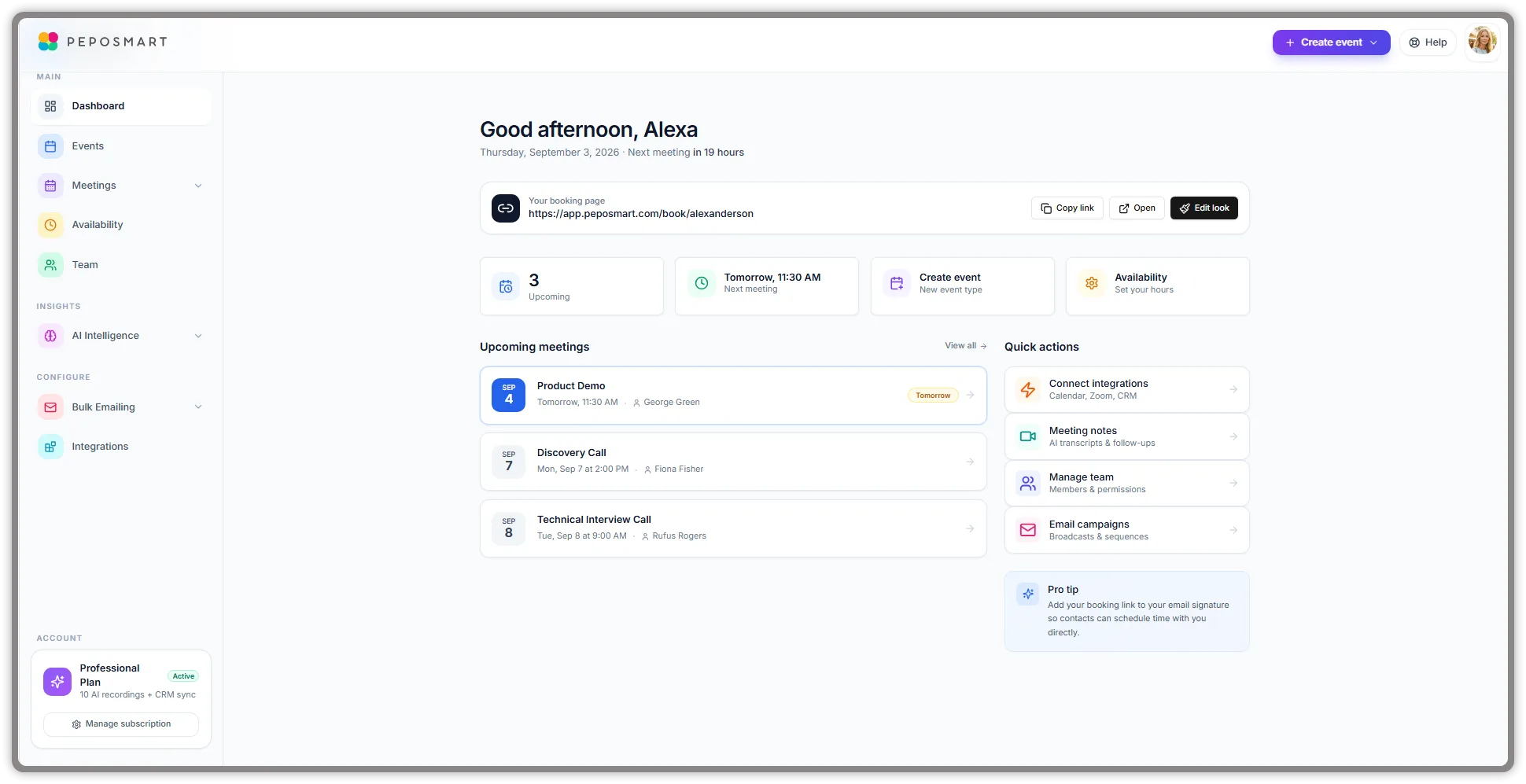
PepoSmart includes scheduling capabilities—booking pages, calendar sync, team coordination. We can replace Calendly for most use cases. But scheduling is our foundation, not our ceiling.
Our core innovation is Meeting Intelligence: AI-powered capabilities that capture, analyze, and extract value from every meeting you have. This is functionality neither Google Calendar nor Calendly provides.
AI Meeting Bot and Automatic Capture
When you have a meeting through PepoSmart, our AI bot joins automatically. It creates a complete transcript with speaker identification and timestamps. You can be fully present in the conversation, confident that everything is being captured accurately.
No more splitting attention between engaging and note-taking. No more forgetting key points by the next day. Every meeting becomes a permanent, searchable record.
Intelligent Analysis
Raw transcripts are valuable but overwhelming. PepoSmart's AI processes every conversation to extract what matters.
Sentiment analysis reveals the emotional tone of meetings—was the conversation positive, tense, or neutral? This insight helps you understand relationship health beyond just the words spoken.
Buyer intent detection identifies signals in sales conversations that indicate genuine interest: questions about implementation, timeline discussions, budget mentions, stakeholder involvement. Know where prospects truly stand, not just what they politely say.
Topic extraction categorizes what was discussed, building a searchable index across all your meetings. Find every conversation where pricing was mentioned, or security concerns were raised, or a competitor was discussed.
Action item identification automatically extracts commitments from conversations. Someone promised to send a proposal? It's captured with an owner. A follow-up meeting was agreed to? It's flagged for scheduling.
Smart Follow-Up Generation
The follow-up email is where meeting value often dies. Everyone knows they should send one promptly, but crafting it takes time, and days slip by while momentum fades.
PepoSmart generates contextual follow-up drafts immediately after each meeting. These aren't generic templates—they're intelligent drafts that reference specific discussion points from the actual conversation. If you discussed pricing, the draft mentions pricing. If you committed to sending materials, that commitment is acknowledged. If a next meeting was discussed, your booking link is included.
Review, customize any placeholders, and send. What used to take twenty minutes now takes two.
Cross-Meeting Relationship Intelligence
Individual meeting insights are useful. Cross-meeting intelligence is transformational.
PepoSmart connects insights across all your meetings with each contact. Every conversation updates their relationship profile with topics discussed, sentiment trends, engagement levels, and key interests mentioned. Over time, you build comprehensive intelligence on every relationship.
The Meeting Intelligence Dashboard visualizes this data. See which contacts you meet with most frequently. Understand what topics dominate specific relationships. Track how sentiment has trended over time. Identify relationships that might need attention.
Before any meeting, review complete context from all previous interactions. Walk in fully prepared, not scrambling to remember what you discussed last time.
Chat With Your Meetings
PepoSmart's most revolutionary feature: natural language search across your entire meeting history.
"What did the Acme team say about their implementation timeline?" "Which prospects mentioned budget constraints this quarter?" "Show me all action items from customer calls in the last month." "What topics come up most with the engineering team?"
Our RAG-powered chat interface searches across all your transcripts and delivers precise, sourced answers. It's like having perfect recall of every business conversation you've ever had.
Three-Way Comparison: The Complete Picture
| Feature | Google Calendar | Calendly | PepoSmart | Winner |
|---|---|---|---|---|
| Calendar Management | ✓ Excellent | ✗ No | ✗ Syncs only | Google Calendar |
| Booking Pages | ✗ Basic | ✓ Excellent | ✓ Good | Calendly |
| Team Scheduling | ✗ No | ✓ Yes | ✓ Yes | Tie |
| Free Full Features | ✓ Yes | ✗ No | ✗ No | Google Calendar |
| AI Meeting Bot | ✗ No | ✗ No | ✓ Yes | PepoSmart |
| Auto Transcription | ✗ No | ✗ No | ✓ Yes | PepoSmart |
| Sentiment Analysis | ✗ No | ✗ No | ✓ Yes | PepoSmart |
| Intent Detection | ✗ No | ✗ No | ✓ Yes | PepoSmart |
| Smart Follow-Ups | ✗ No | ✗ No | ✓ Yes | PepoSmart |
| Action Item Tracking | ✗ No | ✗ No | ✓ Yes | PepoSmart |
| Relationship Intelligence | ✗ No | ✗ No | ✓ Yes | PepoSmart |
| Meeting Search | ✗ No | ✗ No | ✓ Yes | PepoSmart |
| Post-Meeting Value | ✗ None | ✗ None | ✓ Comprehensive | PepoSmart |
Real-World Scenarios
Scenario 1: The Occasional Scheduler
You have a few external meetings per week, mostly with people already in your organization or contacts you know well. You're comfortable with email coordination when needed.
Best choice: Google Calendar. Its built-in appointment scheduling handles basic needs, and you avoid adding another tool to your stack.
Scenario 2: The High-Volume Sales Professional
You schedule dozens of prospect calls weekly. Professional booking pages matter. You need CRM integration and workflow automation. Time saved on scheduling directly impacts your quota.
Best choice: Calendly for scheduling efficiency—but you're still losing value after meetings end through manual note-taking and follow-ups.
Better choice: PepoSmart for scheduling plus meeting intelligence. Get the booking efficiency you need, plus AI that captures conversations, analyzes sentiment and intent, generates follow-ups, and builds relationship intelligence.
Scenario 3: The Customer Success Manager
You manage relationships with multiple accounts, meeting regularly with each. Continuity matters—remembering what was discussed, tracking sentiment trends, ensuring follow-through on commitments.
Best choice: PepoSmart. Neither Google Calendar nor Calendly helps with relationship continuity. PepoSmart's cross-meeting intelligence means you walk into every call fully prepared with complete context from all previous interactions.
Scenario 4: The Consulting Team
Your team coordinates complex projects across multiple clients. Everyone needs visibility into meeting outcomes, action items, and client sentiment.
Best choice: PepoSmart's Professional plan. Shared meeting intelligence means the whole team sees what's happening across client relationships—not just whoever attended each meeting.
Pricing Reality Check
Google Calendar is free for personal use and included with Google Workspace subscriptions that businesses already pay for. For scheduling basics, it's hard to beat free.
Calendly charges $12 per user per month for Standard and $20 per user per month for Teams. A 15-person team pays $300 monthly for scheduling features.
PepoSmart is billed per user at $6 to $9.50 per user per month (Starter to Professional), with no seat minimums and a 12-month free trial—including full Meeting Intelligence that neither Google Calendar nor Calendly offers at any price.
The question isn't just what scheduling costs. It's what value you're getting. PepoSmart's per-user pricing is comparable to Calendly's, while delivering an entirely additional category of functionality.
Making the Right Choice
Stick with Google Calendar If
You schedule external meetings infrequently. Basic booking functionality meets your needs. Cost avoidance is a priority. You're happy with manual note-taking and follow-ups.
Add Calendly If
You schedule high volumes of external meetings. Professional booking pages and branding matter. You need team scheduling features. Workflow automation saves meaningful time. You don't need meeting intelligence.
Choose PepoSmart If
You want scheduling plus complete meeting intelligence. You're tired of losing insights to forgotten notes and delayed follow-ups. Relationship continuity across meetings matters. You want AI that delivers real business value—more deals closed, better relationships maintained. You want team capabilities at a per-user cost comparable to Calendly's, with AI meeting intelligence included.
Conclusion: The Evolution Beyond Scheduling
The Google Calendar vs Calendly debate focuses on scheduling efficiency. Which tool makes it easier to get meetings on the calendar? Both answer this question well within their respective scopes. For more comparisons, see Calendly vs PepoSmart, Calendly pricing, and Calendly vs Doodle.
But this debate misses the larger point. Scheduling is just the gateway to meetings. The real value—or waste—happens during and after the meeting itself.
Google Calendar and Calendly both stop at the calendar event. PepoSmart continues through the entire meeting lifecycle: capture, analysis, follow-up, and relationship intelligence. Learn more in our Meeting Intelligence guide.
For teams that recognize meetings as strategic business moments—where deals progress, relationships deepen, and decisions get made—the scheduling tool question is too narrow. The right question is: which platform helps you extract maximum value from every conversation?
PepoSmart answers that question with Meeting Intelligence that neither calendar applications nor scheduling tools can match.
Start your free trial and experience what meeting productivity can really look like. Your first AI-captured meeting will show you what you've been missing. View our pricing for details.