
Introduction: Video-First Scheduling in the Modern Workplace
Video meetings have become the default for business communication. Whether you're closing deals, onboarding clients, or collaborating with distributed teams, video calls are likely central to your workflow. This reality raises an important question: should you use a dedicated scheduling tool like Calendly, or rely on Zoom's built-in scheduling capabilities?
Both approaches have merit. Zoom Scheduler integrates natively with the video platform you're already using. Calendly offers more sophisticated scheduling features with Zoom as one of many video options. Understanding the tradeoffs helps you make the right choice.
But there's a larger question neither tool addresses: what happens during and after those video meetings? This is where PepoSmart's Meeting Intelligence changes the conversation entirely.
Understanding Zoom Scheduler
What Zoom Scheduler Offers
Zoom has expanded beyond video conferencing into scheduling with Zoom Scheduler, available as part of paid Zoom plans. It's designed to streamline the process of booking Zoom meetings.
Core Zoom Scheduler features include booking pages where invitees can schedule Zoom meetings with you, calendar integration with Google Calendar and Microsoft Outlook, automatic Zoom meeting link generation, buffer time settings between meetings, and basic customization of booking page appearance.
The primary value proposition is simplicity: if you're already paying for Zoom, why add another tool just to schedule Zoom meetings?
Zoom Scheduler Strengths
The obvious strength is native integration. There's no configuration needed to connect Zoom Scheduler with Zoom—it's all one platform. Meeting links generate automatically, and everything lives in the same ecosystem.
For Zoom-centric organizations, this simplicity is appealing. One less tool to manage, one less integration to maintain, one less vendor relationship to navigate.
The pricing can also be attractive. Zoom Scheduler is included with certain Zoom plans, making it effectively free for organizations already paying for Zoom Pro or higher tiers.
Zoom Scheduler Limitations
Despite the integration advantage, Zoom Scheduler has significant limitations compared to dedicated scheduling tools.
The feature set is basic. Round-robin scheduling for teams isn't available. Sophisticated routing based on form responses isn't possible. Workflow automations triggered by bookings are limited. The customization options for booking pages are minimal.
You're also locked into Zoom for video. If you occasionally need Google Meet or Microsoft Teams for certain clients, Zoom Scheduler doesn't help—it only schedules Zoom meetings.
Integration with business tools like CRMs is limited compared to Calendly's extensive ecosystem.
And critically, Zoom Scheduler only handles the booking. Despite Zoom being the actual meeting platform, there's no automated capture of what happens in those meetings, no AI analysis, no smart follow-up generation.
Understanding Calendly
What Calendly Offers
Calendly is the market leader in dedicated scheduling, used by millions to automate meeting booking. Its comprehensive feature set reflects years of focused development.
Calendly's core features include highly customizable booking pages with full branding control, multiple event types for different meeting formats, sophisticated team scheduling with round-robin and collective options, integration with Zoom plus Google Meet plus Microsoft Teams and other video platforms, extensive CRM and business tool integrations, automated workflows and notifications, and buffer times and meeting limits.
Calendly Strengths
Calendly excels at flexibility. You're not locked into one video platform—connect Zoom for some meetings, Google Meet for others, Teams for enterprise clients. The platform adapts to how you actually work.
Team scheduling features are far more sophisticated than Zoom Scheduler. Round-robin distribution, collective scheduling, routing logic—Calendly handles complex coordination that Zoom simply doesn't offer.
The integration ecosystem is vast. Salesforce, HubSpot, Slack, Stripe—Calendly connects with the tools your business runs on, enabling workflows that drive real efficiency.
Customization options let you create booking experiences that match your brand, not Calendly's or Zoom's default design.
Calendly Limitations
Calendly costs extra. If you're already paying for Zoom, Calendly is an additional expense at $12-20 per user per month.
For simple Zoom-only scheduling, Calendly may be overkill. If all you need is basic booking for Zoom calls and you don't need team features or integrations, the added cost may not be justified.
Calendly goes a step further than Zoom Scheduler here: its paid tiers include an AI notetaker that records and summarises the call. The analysis and the content-aware follow-up are still absent, so the judgement of what the conversation meant, and what to do about it, remains manual.
Head-to-Head: Zoom Scheduler vs Calendly
| Feature | Zoom Scheduler | Calendly | Winner |
|---|---|---|---|
| Native Zoom Integration | ✓ Built-in | ✓ Yes | Zoom Scheduler |
| Multiple Video Platforms | ✗ Zoom only | ✓ Yes | Calendly |
| Booking Page Customization | ✗ Basic | ✓ Extensive | Calendly |
| Team Round-Robin | ✗ No | ✓ Yes | Calendly |
| Collective Scheduling | ✗ No | ✓ Yes | Calendly |
| CRM Integrations | ✗ Limited | ✓ Extensive | Calendly |
| Workflow Automation | ✗ Basic | ✓ Advanced | Calendly |
| Included with Zoom | ✓ Some plans | ✗ No | Zoom Scheduler |
| AI Meeting Bot | ✗ No | ✗ No | Neither |
| Transcription | ✗ No | ✗ No | Neither |
| Smart Follow-Ups | ✗ No | ✗ No | Neither |
| Relationship Tracking | ✗ No | ✗ No | Neither |
When Zoom Scheduler Works
Zoom Scheduler makes sense when you exclusively use Zoom for video meetings, when your scheduling needs are simple without team features, when you want to minimize the number of tools you use, when budget constraints make additional subscriptions difficult, and when basic booking functionality meets your requirements.
For individual professionals with straightforward scheduling needs who are committed to Zoom, the built-in scheduler may be sufficient.
When Calendly Adds Value
Calendly is worth the investment when you use multiple video platforms depending on the situation, when team scheduling features like round-robin are important, when CRM integration drives your sales or success workflows, when branded booking pages matter for your professional image, and when you need sophisticated automation and routing.
Sales teams, customer success managers, and organizations with complex scheduling needs typically find Calendly's capabilities justify its cost.
The Shared Gap
Here's what neither Zoom Scheduler nor Calendly addresses: the meeting content itself.
Both tools help you get meetings scheduled. One does it with native Zoom integration, the other with more features and flexibility. But when the Zoom call starts, both tools step aside.
What was discussed in that meeting? What commitments were made? What follow-up is needed? How does this conversation connect to the broader relationship? Neither Zoom Scheduler nor Calendly has answers.
This is precisely where PepoSmart delivers value.
PepoSmart: Meeting Intelligence Beyond Scheduling
Complete Meeting Lifecycle Management
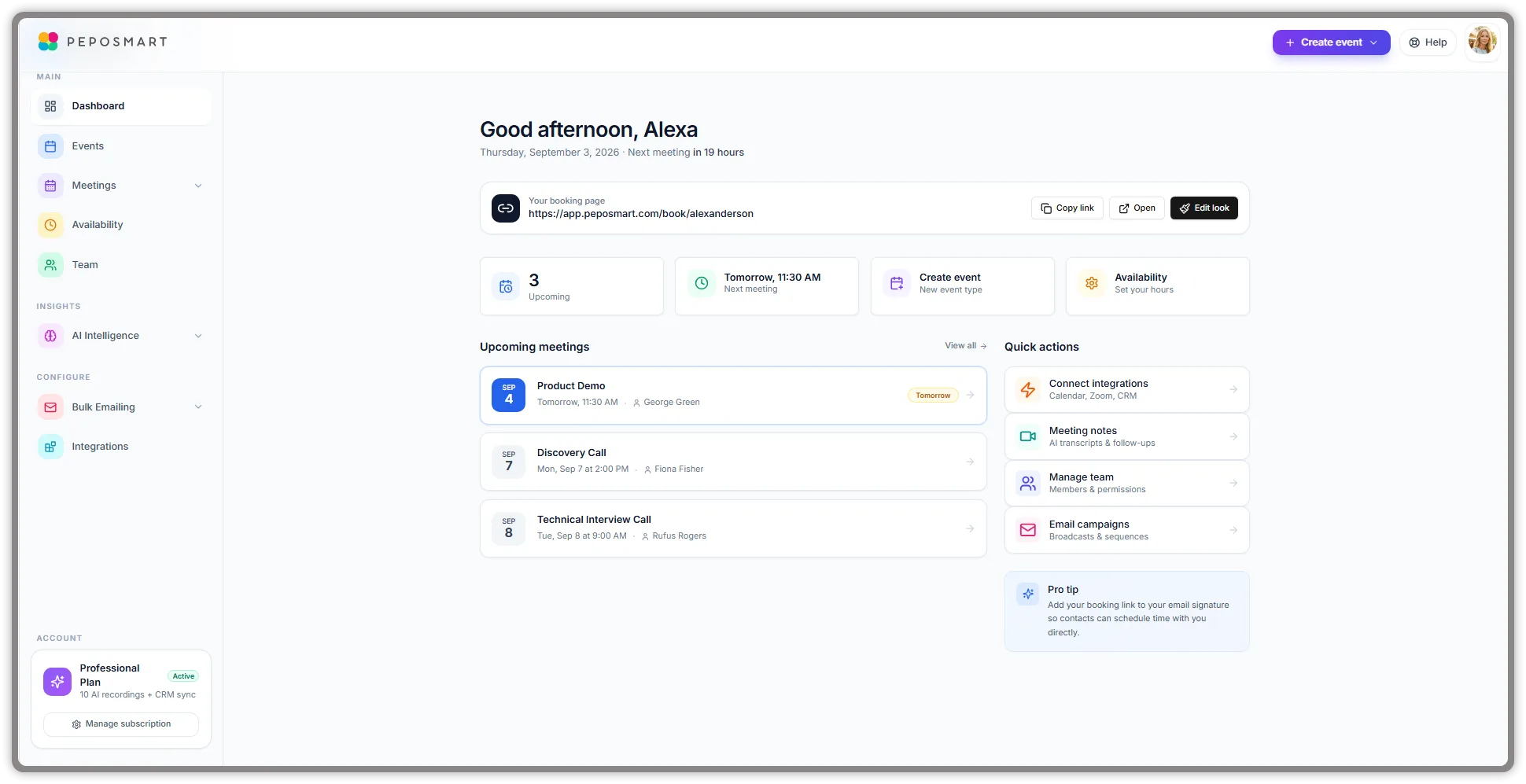
PepoSmart provides scheduling capabilities—booking pages, calendar sync, team scheduling, video platform integration. We can replace Calendly for most use cases while connecting seamlessly with Zoom and other platforms.
But scheduling is just our foundation. Our core innovation is Meeting Intelligence: AI-powered capabilities that capture, analyze, and extract value from every meeting.
AI Meeting Bot and Capture
When your Zoom meeting happens through PepoSmart, our AI bot joins automatically. It captures a complete transcript with speaker identification and timestamps. You can be fully present in the video call, knowing everything is being recorded accurately.
This works regardless of video platform—Zoom, Google Meet, Microsoft Teams. Every meeting becomes a permanent, searchable record.
Intelligent Analysis
PepoSmart's AI processes every meeting to extract actionable insights.
Sentiment analysis reveals how meetings actually feel—positive and energetic, tense and concerning, or neutral and transactional. This emotional intelligence helps you understand relationship health beyond just the words spoken.
Buyer intent detection identifies signals in sales calls that indicate genuine interest. Questions about implementation, timeline discussions, budget mentions, stakeholder involvement—patterns that predict real buying intent.
Topic extraction categorizes discussions across all your meetings. Find every Zoom call where pricing was discussed, or security concerns were raised, or a competitor was mentioned.
Action item identification automatically captures commitments. When someone promises to send a proposal or schedule a follow-up, it's logged with an owner.
Smart Follow-Up Generation
After your Zoom call ends, a contextual follow-up draft is waiting. Not a generic template—an intelligent draft that references specific discussion points from the actual conversation.
Pricing was discussed? It's mentioned. You committed to sending materials? That's acknowledged. A next meeting was agreed to? Your booking link is included.
Review, customize, and send in minutes instead of spending twenty minutes composing from scratch.
Cross-Meeting Relationship Intelligence
PepoSmart connects insights across all your Zoom calls with each contact. Every conversation updates their relationship profile—topics, sentiment, engagement, interests.
The Meeting Intelligence Dashboard shows your most active relationships, topic patterns, and sentiment trends. Before any Zoom call, review complete context from all previous meetings with that contact.
Chat With Your Meetings
Ask questions about your Zoom call history in natural language.
"What did the Acme team say about their timeline in our last call?" "Which prospects mentioned competitor concerns this quarter?" "Show me all action items from customer Zoom calls." "What topics come up most with the sales team?"
Our RAG-powered chat searches across all your transcripts and delivers precise, sourced answers.
Three-Way Comparison: The Full Picture
| Feature | Zoom Scheduler | Calendly | PepoSmart | Winner |
|---|---|---|---|---|
| Zoom Integration | ✓ Native | ✓ Yes | ✓ Yes | Tie |
| Multi-Platform Video | ✗ No | ✓ Yes | ✓ Yes | Tie |
| Team Scheduling | ✗ No | ✓ Yes | ✓ Yes | Tie |
| Booking Customization | ✗ Basic | ✓ Extensive | ✓ Good | Calendly |
| Included with Zoom | ✓ Some plans | ✗ No | ✗ No | Zoom Scheduler |
| AI Meeting Bot | ✗ No | ✗ No | ✓ Yes | PepoSmart |
| Auto Transcription | ✗ No | ✗ No | ✓ Yes | PepoSmart |
| Sentiment Analysis | ✗ No | ✗ No | ✓ Yes | PepoSmart |
| Intent Detection | ✗ No | ✗ No | ✓ Yes | PepoSmart |
| Smart Follow-Ups | ✗ No | ✗ No | ✓ Yes | PepoSmart |
| Relationship Intelligence | ✗ No | ✗ No | ✓ Yes | PepoSmart |
| Meeting Search | ✗ No | ✗ No | ✓ Yes | PepoSmart |
| Post-Meeting Value | ✗ None | ✗ None | ✓ Full | PepoSmart |
Making the Right Choice
Use Zoom Scheduler If
You exclusively use Zoom and have no need for other video platforms. Your scheduling needs are simple individual booking. You want to minimize tools and costs. Basic functionality is sufficient. Meeting intelligence isn't a priority.
Use Calendly If
You need flexibility across multiple video platforms. Team scheduling features are important. CRM and business tool integrations drive your workflows. Professional branded booking matters. You accept that meeting value extraction remains manual.
Choose PepoSmart If
You want scheduling plus complete meeting intelligence. You're tired of Zoom calls generating no lasting record or insight. Relationship continuity across video meetings matters. You want AI that captures and analyzes every conversation. You need follow-ups that write themselves based on meeting content.
Conclusion: Beyond Video Scheduling
The Zoom Scheduler vs Calendly debate focuses on scheduling convenience and feature depth. Which tool books Zoom meetings better? Is Calendly worth paying for on top of Zoom? See also our comparisons of Calendly vs PepoSmart, Calendly pricing, and Calendly vs Google Calendar.
But this debate misses the larger opportunity. Video meetings are where business actually happens—deals progress, relationships develop, decisions get made. Scheduling those meetings is just the prerequisite.
Both Zoom Scheduler and Calendly stop at the calendar event. Neither captures what happens in your Zoom calls. Neither analyzes conversations. Neither generates intelligent follow-ups. Neither builds relationship intelligence over time.
PepoSmart transforms every video meeting into a strategic asset. We provide the scheduling you need, then continue through the entire meeting lifecycle with AI-powered capture, analysis, and automation. Learn more in our Meeting Intelligence guide.
For professionals who recognize that the value is in the meeting itself—not just getting it scheduled—PepoSmart delivers capabilities neither Zoom nor Calendly can match.
Start your free trial and experience what your video meetings could really deliver. View our pricing for details.