
AI Call Prep
A one-click briefing before your next meeting: who you're meeting, what happened last time, and what's still open.
Before an upcoming meeting, PepoSmart assembles a prep sheet from the meetings it recorded with that contact: past summaries, the sentiment trend, commitments still outstanding, and suggested areas to cover. When a supported CRM is connected, it adds context from that record too.
| Available on | Starter and above. CRM context requires Professional and above. |
|---|---|
| Requires | Prior recorded meetings with the contact, or a connected CRM holding their record. |
| Limits | Generated on demand per upcoming meeting; no cap. |
| Last verified | 19 September 2026 |
Walking into a call cold costs you the first ten minutes — and sometimes the deal. AI Call Prep builds a briefing for your upcoming meeting from everything PepoSmart already knows: past meetings with this contact, their sentiment trend, the commitments still pending, and what to raise this time.
It's the difference between 'remind me what we discussed?' and opening with the exact thread you left off on. One click on the meeting, and the prep is in front of you. The briefing is built only from meetings PepoSmart recorded with that contact, plus CRM context when a supported CRM is connected — so a brand-new contact with no recorded history has little to brief you on.
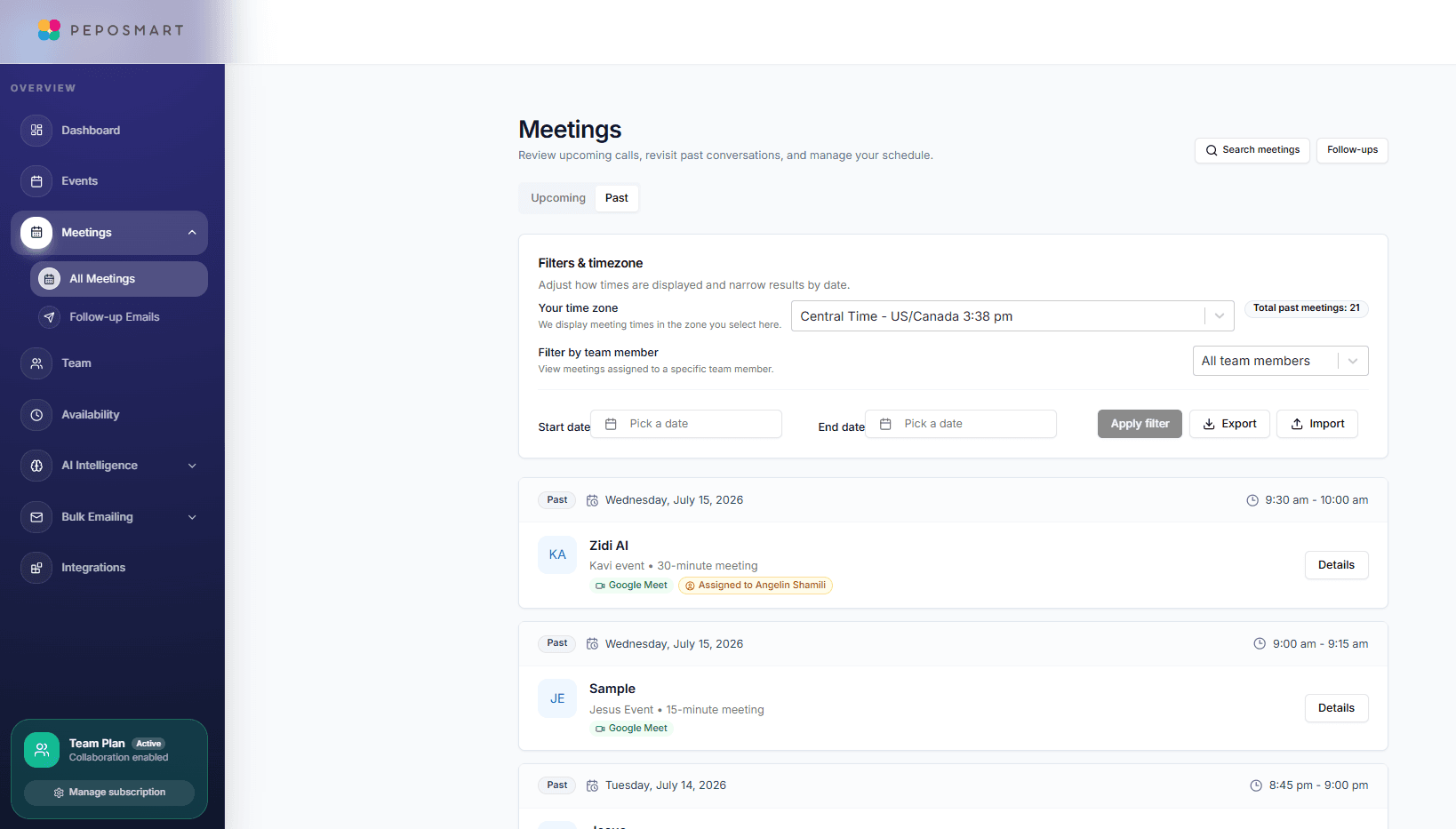
What you can do with AI Call Prep
Context from your past calls
The briefing draws on your recorded history with the contact — summaries, sentiment, and what they cared about. It is generated by AI from those transcripts, so treat it as a prompt to check, not a record of fact.
Open commitments front and center
Anything promised — by you or them — that hasn't been resolved is right there, so nothing slips through.
One click, right on the meeting
Prep lives on the upcoming meeting itself. No digging through notes or CRM tabs before the call.
How it works
- 1
Open your upcoming meeting
From the Meetings page, find the call you're about to join.
- 2
Hit Prep
The AI assembles the briefing from your meeting history with that contact.
- 3
Join the call ready
Walk in knowing the history, the mood, and the open items — and pick up exactly where you left off.
Everything included
- One-click prep on any upcoming meeting
- Summary of previous meetings with the contact
- Sentiment and relationship-health context
- Pending commitments and action items
- Suggested talking points for the call
- Powered by the same history as relationship intelligence
What AI Call Prep does not do
The limits, stated up front rather than discovered later.
- A brand-new contact with no recorded history has almost nothing to brief you on.
- The briefing is generated by AI from transcripts, so treat it as a prompt to check rather than a record of fact.
Frequently asked questions
What if it's my first meeting with someone?+
Prep shines from the second meeting onward, once there's recorded history. For first calls you still get the booking context — their intake answers and event details.
Where do I find it?+
On the Meetings page, each upcoming meeting has a Prep action — the briefing opens right there.
Does prep use my recordings?+
Yes — it's built from the transcripts and analyses of your past recorded meetings with that contact.
Try AI Call Prep today
The free plan includes unlimited booking pages and unlimited scheduled meetings, plus 2 AI recordings to try the notetaker.
AI Call Prep is available on: Starter and above. CRM context requires Professional and above.
Get started freePlans, limits and integrations on this page come from our product facts registry. If anything here disagrees with that page, the product facts page is correct — please tell us at support@peposmart.com.
Related features
Relationship Intelligence
Every contact gets a health status — Growing, Stable, Declining or At risk — built from sentiment trends and commitments across all your meetings with them.
AI Meeting Notes
An AI notetaker joins your Zoom, Google Meet, or Teams call, records it in HD, and delivers a transcript, summary, and action items minutes after you hang up.
Chat With Meetings
Ask questions about your entire meeting history in plain English — 'What commitments did I make last week?' — and get answers with sources.