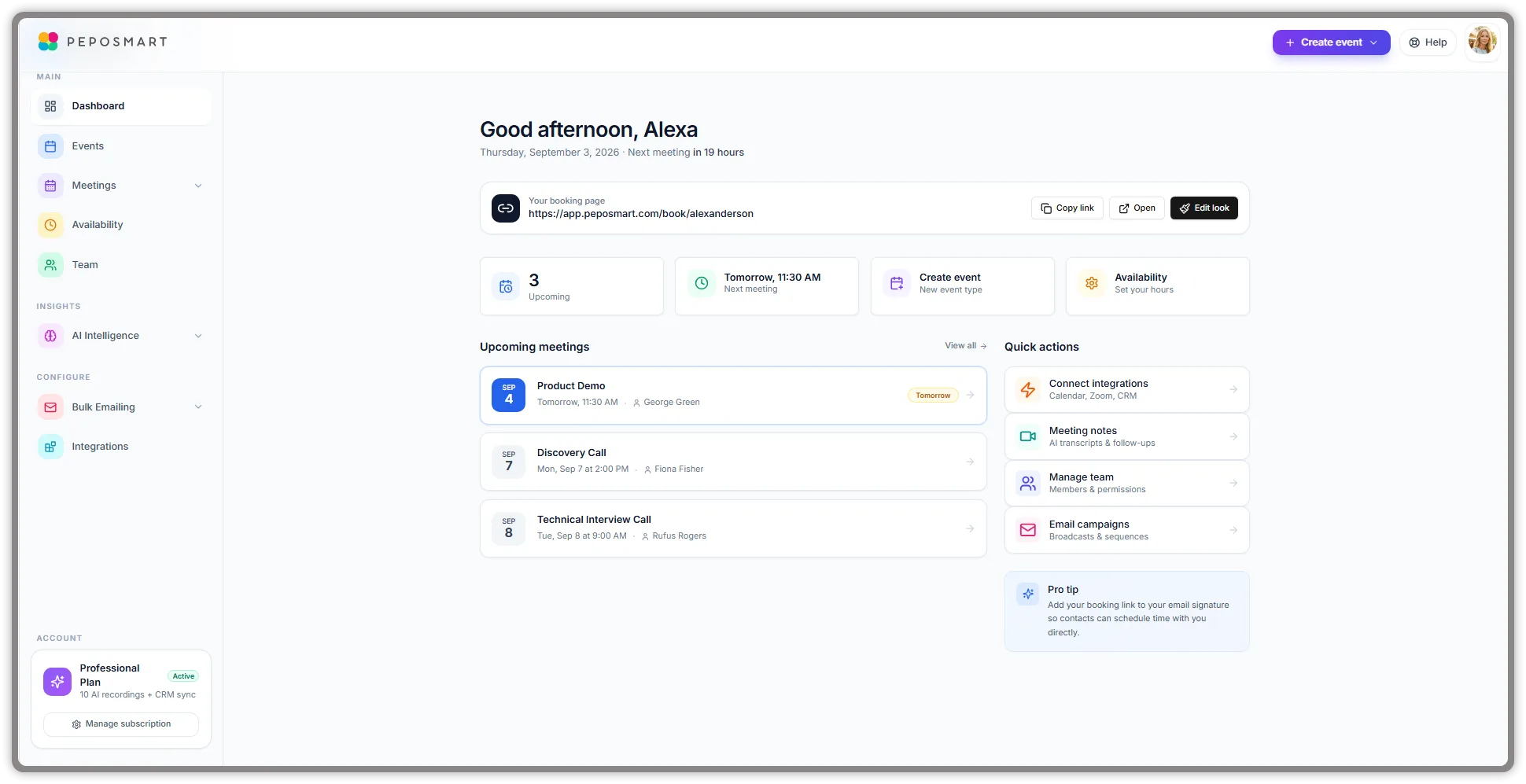
Every AI notetaker promises the same thing: you talk, it writes. The differences that matter sit underneath that promise. How much does the free plan really cover? Does a bot have to join the call? Which CRM does it write to, and what exactly does it write? What happens to your recordings, and does the vendor train its models on them? What do you pay once you record every call? This guide compares eight tools on those questions using each vendor's own published pricing and documentation, so you can shortlist two or three and test them on your own meetings.
Quick answer: There is no single best AI notetaker; it depends on budget, capture method and where notes must go. On vendors' published plans (October 2026), Fathom has the most generous free plan, Avoma and Fathom Business suit sales teams that need coaching and CRM field sync, Granola suits people who never want a bot in the call, Fireflies lists the most languages, and PepoSmart fits teams that want booking pages, notes, follow-up drafts and CRM sync in one tool.
Key takeaways
- Free plans differ far more than paid plans. Fathom's free tier records and transcribes with no published cap, Otter's stops at 300 minutes a month and 30 minutes per conversation, Read AI's at five meetings a month, and Avoma has no free plan at all.
- "Bot or botless" is now a real decision. Microsoft Teams holds detected bots in the lobby by default, and Granola, Otter, tl;dv, Fathom (on Mac) and Avoma can all capture without a bot in the call.
- Training terms vary widely. Fireflies, Avoma and tl;dv say they never train on your data, Read AI makes it opt-in, and Otter and Fathom use de-identified data for their own models.
- For sales teams, CRM depth matters more than summary polish. Check whether a tool updates fields and creates tasks, not just whether it attaches a note to a contact.
- PepoSmart is the tool here built around booking pages (Avoma also includes a scheduler), but every PepoSmart plan includes only 2 lifetime AI recordings, so heavy recorders pay for credit packs.
How we compiled this comparison
We did not run hands-on tests of these eight tools for this article. The comparison is built from each vendor's own public pricing pages and help documentation as checked in October 2026, and each section links to the pricing page we used. Where a vendor does not publish a detail, we say "not published" rather than guess.
A few ground rules:
- Prices are the list prices shown to a US visitor, per user per month, in US dollars. "Annually" means the monthly equivalent when billed once a year. tl;dv shows euros to visitors in some regions.
- We ignored promotional and region-restricted prices, such as the discounted Otter prices its page limits to cards issued in one country.
- Prices, limits and plan names change often. Confirm everything on the vendor's site before you buy.
- Nobody can give you a transcription accuracy figure that will hold for your calls, so we do not quote one. Accuracy depends on audio, accents, crosstalk and language.
Disclosure: PepoSmart publishes this guide and sells one of the products in it. PepoSmart's facts come from our public product facts page, including the limits that make it a poor fit for some readers. No vendor paid for inclusion. If you want a hands-on test instead, our earlier Calendly alternatives comparison tested scheduling tools paired with a notetaker in real accounts.
What is an AI meeting notetaker?
An AI meeting notetaker is software that captures a conversation, transcribes it with speaker labels, and uses a language model to turn the transcript into a summary, action items and other outputs such as follow-up emails or CRM updates. The AI notetaker guide explains the mechanics in depth; three terms matter for this comparison.
A bot notetaker is one that joins your Zoom, Google Meet or Teams call as a participant through the meeting link, appears in the participant list and records from inside the call. A botless (or bot-free) notetaker records the audio playing on your own computer or phone, so nothing joins the call and other attendees see nothing unless you tell them. Conversation intelligence is the analytics layer some tools add on top of the transcript: talk-time ratios, call scores, trackers for competitor mentions and deal-risk signals, aimed mainly at sales managers.
One more distinction worth making early: an AI summary is not the same as formal minutes. If your meetings need an approved record of decisions, the guide to writing meeting minutes covers what a notetaker draft still needs.
What is the best AI notetaker for each use case?
These picks follow from the published plans in the sections below, not from a single score.
- Best free plan: Fathom. Unlimited recordings, transcription and storage on the free plan, advanced AI summaries on your first five calls each month, 38 transcription languages, and CRM sync for up to three users per email domain.
- Best for sales teams: Avoma, or Fathom Business. Avoma pairs recorder seats with conversation and revenue intelligence add-ons, dialer integrations and a scheduler with lead routing. Fathom Business adds CRM field sync, a deal view and AI scorecards at a lower per-seat price.
- Best for bot-free and in-person notes: Granola. It never joins the call, works with any meeting app, in person, and on phone calls through its mobile app. If you need a recording you can replay, Otter's desktop app is the alternative, because Granola deletes audio after transcription.
- Best for multilingual teams: Fireflies. It lists transcription in more than 100 languages, with English primary and many others in beta. Avoma lists 70+ and Fathom 38.
- Best for meeting analytics across your workday: Read AI. Meeting metrics and a personal coach, plus search across meetings, email and messages.
- Best for EU data hosting: tl;dv. It says meeting data is hosted and stored in the EU, and its free plan records and transcribes without a published cap.
- Best for scheduling, notes and follow-up in one tool: PepoSmart. The notetaker is part of the booking platform, so meetings booked through your page get notes, a follow-up draft and CRM sync, within a 2-lifetime-recording allowance plus paid credit packs.
- Best if your company already pays for Zoom, Google Workspace or Microsoft Copilot: the built-in assistant. Nothing new to buy or get approved, as long as all your meetings happen on that one platform.
How do the top AI notetakers compare?
| Tool | Free plan (as published) | Entry paid price per user/month | Platforms | Bot or botless | Standout |
|---|---|---|---|---|---|
| Otter.ai | 300 transcription minutes a month, 30 minutes per conversation, 3 lifetime file imports | Pro: $16.99 monthly or $8.33 annually | Zoom, Teams, Google Meet; desktop app also covers Slack Huddles and in-person | Both: OtterPilot bot, or desktop app with no bot | Live transcription across bot, desktop and mobile |
| Fireflies.ai | Unlimited transcription, limited AI summaries, 400 minutes of storage per team | Pro: $18 monthly or $10 annually | Zoom, Google Meet, Teams and 10+ others | Bot; Chrome extension records Google Meet without one | 100+ transcription languages listed |
| Fathom | Unlimited recordings and transcription; advanced summaries on the first 5 calls a month | Premium: $20 monthly or $16 annually (Team: $19 or $15, 2-user minimum) | Zoom, Google Meet, Teams; iOS app for in-person | Both: bot, or bot-free beta on Mac | Most generous free plan |
| tl;dv | Unlimited recordings and transcription; AI notes on up to 10 meetings; data kept up to 3 months | Pro: $29 monthly or $18 annually | Zoom, Google Meet, Teams | Both: bot, or desktop app with no bot | EU data hosting; sales playbooks on Business |
| Read AI | 5 meeting transcripts a month | Pro: $19.75 monthly or $15 annually | Zoom, Teams, Google Meet; mobile apps for in-person | Both: Read Assistant bot, or desktop and mobile apps | Meeting metrics, coaching and cross-app search |
| Avoma | None (14-day trial) | Startup: $29 monthly or $19 annually per recorder seat; viewers free | Zoom, Teams, Google Meet, Webex, GoToMeeting; dialers such as Aircall and Dialpad | Both: bot, or bot-less native recording | Conversation and revenue intelligence; built-in scheduler |
| Granola | AI notes with 30 days of meeting history | Business: $14 | Any meeting app via device audio; in-person; phone calls on mobile | Botless only | No bot in the call; audio deleted after transcription |
| PepoSmart | Unlimited scheduling plus 2 lifetime AI recordings (kept 7 days) | Starter: $6 monthly or $5 annually, plus credit packs from $19 for 10 recordings | Zoom, Google Meet, Teams | Visible bot only | Booking pages, notes, follow-up drafts and 10 CRM integrations in one tool |

What is each AI notetaker good at, and where does it fall short?
Otter.ai
What it is. One of the longest-running transcription products. Its OtterPilot bot joins Zoom, Microsoft Teams and Google Meet, and its desktop app for Mac and Windows records without a bot across Zoom, Google Meet, Slack Huddles and in-person conversations. There are iOS and Android apps, live transcription and AI chat across meetings.
Who it suits. Individuals and small teams who want live transcripts and flexible capture: a bot for scheduled calls, the desktop app when a bot is unwelcome, and a phone in the room for in-person meetings.
Pricing as published. Basic is free with 300 transcription minutes per user per month, a 30-minute limit per conversation and three lifetime file imports. Pro is $16.99 per user per month, or $8.33 billed annually, with 1,200 minutes a month, up to 90 minutes per meeting, and Salesforce and HubSpot integrations (subject to user limits). Business is $30 monthly or $19.99 annually, with unlimited meetings, up to four hours per meeting and admin features. Enterprise is quoted on request and adds SSO, SCIM and HIPAA compliance as an add-on. Source: Otter pricing.
Limitations. The free plan's 30-minute cap cuts most real meetings short. Otter lists AI transcription in six languages (English, Spanish, French, German, Japanese and Chinese), fewer than several rivals. Its Privacy & Security page says it de-identifies user data and uses it to train its own models, which some buyers will want to discuss before rollout.
Fireflies.ai
What it is. A bot notetaker (the "Fred" assistant) that records Zoom, Google Meet, Teams and more than ten other platforms, plus a Chrome extension that captures Google Meet without a bot, desktop and mobile apps, and AskFred for questions across meetings.
Who it suits. Teams that meet on several platforms or in several languages and want a free tier that keeps transcribing.
Pricing as published. Free includes unlimited transcription (for bot meetings, the Chrome extension and the mobile app), limited AI summaries, 400 minutes of storage per team and 20 AI credits. Pro is $18 per seat monthly or $10 annually, with unlimited summaries, 8,000 minutes of storage per seat, video recording and integrations. Business is $29 monthly or $19 annually, adding unlimited storage, conversation intelligence, team analytics and multi-language mode. Enterprise is $39 per seat, annual only, with SSO and SCIM, HIPAA compliance, private storage and custom retention. Source: Fireflies pricing.
Limitations. App and CRM integrations sit on the paid tiers, and the free plan's 400 minutes of storage per team fills quickly. Fireflies' own FAQ says English is the primary language, with Spanish, French, Portuguese, Italian and 100+ others in beta, so test your language rather than relying on the headline number.
Fathom
What it is. A notetaker for Zoom, Google Meet and Microsoft Teams on Mac and Windows, with a choice of bot or bot-free capture (bot-free is a Mac beta), an iOS app for in-person conversations, clips and playlists, and Ask Fathom for questions about a call.
Who it suits. Individuals who want a strong free plan, and sales teams that want CRM field sync and coaching without an enterprise contract.
Pricing as published. Free includes unlimited recordings, transcription and storage, advanced summaries for your first five calls each month, transcripts in 38 languages, and CRM sync (HubSpot, Salesforce, Close) for up to three users per email domain. Premium is $20 per user monthly or $16 annually. Team is $19 or $15 per user with a two-user minimum. Business is $34 or $25 per user, also with a two-user minimum, and adds CRM field sync, a deal view, coaching metrics and AI scorecards. Enterprise is through sales and adds SSO and SCIM, and the pricing table also lists a signed HIPAA BAA. Source: Fathom pricing.
Limitations. Fathom's help center says it does not record phone calls (including Zoom Phone), webinars or Teams group-chat instant meetings, captures only the main room of breakout sessions, and does not run on Chromebooks, Linux or iPads. Team plans need at least two users. Fathom says it uses de-identified customer data to improve its own models, with an opt-out in settings. For a head-to-head with Otter, see Otter.ai vs Fathom.
tl;dv
What it is. A notetaker that joins Zoom, Google Meet and Teams as a bot, plus a desktop app for macOS and Windows that records from system audio without a bot. It transcribes in 30+ languages and drafts follow-up emails on paid plans.
Who it suits. Teams that want a generous free recorder and data hosted in the EU, and sales teams that want playbook monitoring and objection handling on the Business plan.
Pricing as published. Free includes unlimited recordings and transcription in 30+ languages, AI notes on up to 10 meetings, 10 Ask AI queries and data retention of up to three months. Pro is $29 per seat monthly or $18 annually, with unlimited AI notes, a follow-up email drafter, CRM integrations and API and webhooks. Business is $39 monthly or $29 annually, adding multi-meeting insights, AI playbook monitoring, objection handling and team-wide integrations. Enterprise is custom, with SSO, SCIM and privately hosted AI. Source: tl;dv pricing.
Limitations. CRM integrations (HubSpot, Salesforce, Pipedrive and Zoho are named on its integrations page) start on Pro. The free plan keeps data for up to three months and caps AI notes at ten meetings, so it is a trial of the AI layer rather than a long-term free notetaker.
Read AI
What it is. The Read Assistant joins Zoom, Teams or Google Meet; desktop apps for Windows and macOS record directly from your computer; and mobile apps capture in-person meetings. Beyond notes, Read reports meeting metrics, offers a personal meeting coach (talking speed, filler words and similar), and searches across meetings, email and messages.
Who it suits. People whose day is mostly meetings and who want analytics and cross-app search, not only summaries.
Pricing as published. Free includes five meeting transcripts a month and basic integrations. Pro is $19.75 per user monthly or $15 annually, with unlimited transcripts and premium integrations including Salesforce, HubSpot, Notion, Jira, Zapier and webhooks. The plan Read calls Enterprise is $29.75 monthly or $22.50 annually and adds audio and video playback. Enterprise+ is $39.75 monthly or $29.75 annually, requires five or more licenses, and adds HIPAA, SAML and SCIM, and custom retention. Source: Read AI pricing.
Limitations. Five meetings a month is a sample, not a working free plan, and replaying the recording itself requires the third tier. All licenses in a workspace must be on the same plan. Read's pricing page lists 20+ supported languages on the free plan card and 16+ for meeting reports in its comparison table.
Avoma
What it is. An AI meeting assistant with conversation intelligence, revenue intelligence and its own scheduler and lead router. It supports both bot-based and bot-less native recording on Zoom, Teams, Google Meet, Webex and GoToMeeting, records dialer calls through Aircall, Dialpad, RingCentral and Zoom Phone, transcribes 70+ languages, and syncs to Salesforce, HubSpot, Pipedrive, Copper, Zendesk Sell and Zoho CRM.
Who it suits. Revenue teams that want a structured coaching program, call scoring against a methodology, deal-risk alerts and forecasting from what was said on calls.
Pricing as published. There is no free plan; a 14-day trial of the Organization plan needs no card, and afterwards the account switches to a viewer role. Startup is $29 per recorder seat monthly or $19 annually (up to 25 seats, viewers free), with unlimited recording, transcription and AI notes, a 1:1 scheduler, AI email follow-ups and notes saved to CRM records. Organization is $39 monthly or $29 annually, adding group and round-robin scheduling, limited conversation intelligence and API and webhooks. Enterprise is $39 per seat billed annually with a ten-seat minimum, adding SSO, HIPAA compliance and retention policies. Conversation Intelligence and Revenue Intelligence are add-ons at $29 per seat annually ($35 monthly) each, and Lead Router is $19 annually ($25 monthly). Source: Avoma pricing.
Limitations. The features that define Avoma for sales leaders are add-ons, so a fully equipped seat costs several times the base price. No free plan. For how it compares on scheduling, see the Avoma alternative page.
Granola
What it is. An AI notepad rather than a recorder. It captures your device's audio without inviting a bot, works with Zoom, Google Meet, Teams and other meeting apps as well as in person, and takes notes on phone calls through its mobile app. You jot rough notes during the meeting and Granola expands them. Apps cover macOS, Windows, iOS, Android and Apple Watch.
Who it suits. People in back-to-back meetings who want good notes without a visible bot and do not need a recording.
Pricing as published. Basic is free with AI meeting notes and 30 days of meeting history. Business is $14 per user per month with unlimited history and integrations including HubSpot, Notion, Attio and Zapier, plus API access. Enterprise is $35 per user per month and adds SSO, a Salesforce integration, HIPAA-compliant workspaces and workspace-wide controls. Source: Granola pricing.
Limitations. Granola lists "audio deleted after transcription" on every plan, so there is no recording to replay, clip or share. Salesforce needs Enterprise. Its pricing page says "multi-language support" without publishing a list. Because nothing joins the call, other participants will not know about the notes unless you tell them; Enterprise adds an org-wide notification that Granola is in use.
PepoSmart
What it is. PepoSmart is an AI scheduling and meeting-intelligence platform: booking pages and availability rules, with an AI notetaker that joins Zoom, Google Meet and Microsoft Teams calls as a visible participant. Each recorded meeting produces a recording, a speaker-labelled transcript, a summary with a timestamped view, action items with an owner and priority, a sentiment and buyer-intent read, a coaching scorecard with a published formula, and a follow-up email draft that waits for your review. Deal intelligence flags objections in six categories, and suggested CRM stage changes need your approval. If the notetaker is removed from a call it can be re-invited, and the parts are stitched into one transcript. Before the next meeting, AI call prep assembles the history, and chat with meetings answers questions across everything recorded.
Who it suits. Teams whose meetings start from a booking link (sales, consultants, recruiters, customer success) and who want the booking, the notes, the follow-up and the CRM update in one place instead of two products to connect. The full output list is on the AI meeting notes page.
Pricing as published. Free includes unlimited event types and scheduled meetings plus 2 lifetime AI recordings to trial the notetaker, kept for 7 days. Starter is $6 per user monthly or $5 annually and adds AI meeting notes, follow-up drafts, coaching scorecards and deal intelligence. Professional is $9.50 monthly or $8 annually and adds ten CRM integrations, Zapier, Make, webhooks, Slack and payments. Business is $29 monthly or $24 annually and adds team coaching views and API access. Every plan includes 2 AI recordings for the lifetime of the account; more come from credit packs of 10 for $19, 20 for $27 or 40 for $39, each credit valid for 30 days and shared across the team. A credit is used only once the notetaker is successfully booked onto a meeting, and failed recordings do not count. Paid plans start with a 12-month free trial (card required). Details are on the pricing page.
Limitations. The recording allowance is the big one: 2 lifetime recordings on every plan means anyone recording most calls buys credit packs every month. It records only Zoom, Google Meet and Teams, always as a visible bot, with no botless mode, no phone calls and no in-person capture. PepoSmart does not publish a supported-language list, SSO and SAML are not available, and there is no published SOC 2 or ISO 27001 certification. Its integration ecosystem is smaller than the larger standalone notetakers'.
What about the AI notes built into Zoom, Google Meet and Microsoft Teams?
Before buying anything, check what your meeting platform already includes. Zoom says core AI features are included with paid Zoom Workplace plans, subject to usage limits and credits. Google's admin documentation lists Gemini note-taking in Meet for Business Standard, Business Plus, Enterprise Standard and Enterprise Plus, in eight spoken languages, one language per meeting. Microsoft's documentation says Teams intelligent recap needs a Teams Premium or Microsoft Copilot license.
Built-in assistants have two strengths: no third-party data processor to approve, and nothing extra to admit into the call. Their weakness is that each works only inside its own platform. If your calendar mixes Zoom with clients' Teams links, or you need follow-up drafts and CRM updates, a third-party notetaker earns its place.
Bot or botless: which kind of AI notetaker should you use?
Neither is better in every case. The trade-offs are concrete:
| Question | Bot notetaker | Botless notetaker |
|---|---|---|
| How it captures | Joins the call through the meeting link | Records audio on your own device |
| What other attendees see | A named participant in the call | Nothing, unless you tell them |
| In-person and phone | No meeting link, so no capture | Possible with a desktop or mobile app |
| Video recording | Usually available | Often audio only, or no recording kept |
| Admission risk | Can be held in a lobby or refused | Nothing to admit |
| Who carries disclosure | Partly the visible bot | Entirely you |
Admission is no longer a minor detail. Microsoft's documentation on managing external bots in Teams meetings says Teams detects external AI bots and, by default, places them in the lobby regardless of the meeting's lobby settings, so an organizer or presenter has to admit them explicitly. If you run meetings with Teams-heavy customers, expect to admit your bot, or choose a tool with a botless option. PepoSmart's notetaker is a bot, so this applies to it too: a recording fails if nobody admits it, although a failed recording does not use up your allowance.
Botless capture solves admission and covers in-person meetings, but it moves the whole duty of disclosure onto you, and some botless tools keep no recording at all. Granola, for example, deletes the audio after transcription, which is good for privacy and bad if you need to check exactly what was said.

Which AI notetaker is the most private and secure?
There is no single answer, because "private" covers several separate questions: does anything join the call, what is stored, for how long, who can see it, and is it used to train models. Here is what each vendor publishes on the last point and where its enterprise controls sit.
| Tool | What it publishes about training on your data | Compliance it lists | Where SSO and HIPAA options sit |
|---|---|---|---|
| Otter.ai | Trains its own models on de-identified user data (Privacy & Security page) | SOC 2 Type 2 report | Enterprise (HIPAA as an add-on) |
| Fireflies.ai | "Never used for AI training" (pricing page) | SOC 2 Type II, GDPR | Enterprise |
| Fathom | Uses de-identified data to improve its own models; opt-out in settings, and team admins can opt out everyone | SOC 2 Type II, GDPR, HIPAA | Enterprise (SSO, SCIM); signed BAA listed on its pricing page |
| tl;dv | Says it will never use transcripts to train AI | GDPR, SOC 2; EU hosting | Enterprise (SSO, SCIM) |
| Read AI | Training is opt-in and off by default | SOC 2 Type II; BAA on request | Enterprise+ (SAML, SCIM, HIPAA) |
| Avoma | "We don't use any customer data to train our models" (help center) | SOC II | Enterprise (SSO, HIPAA, signed DPAs) |
| Granola | Per-user training opt-out; workspace-wide on Enterprise; audio deleted after transcription | SOC 2 Type II, DPA available | Enterprise (SSO, HIPAA workspaces) |
| PepoSmart | Transcripts are processed by third-party language-model providers | No SOC 2 or ISO 27001 certification published | SSO and SAML not available |
Three practical conclusions. If you never want a bot and never want a stored recording, Granola's design is the most conservative. If you handle health data, look at the HIPAA options on the enterprise tiers of Fathom, Read AI, Fireflies, Avoma, Granola or Otter, and ask each for a business associate agreement (BAA). If training on your data is the deciding issue, get the vendor's answer in your contract or data processing agreement, because marketing pages and help articles do not always say the same thing. PepoSmart's data handling, including encrypted credentials and deletion from the meeting record, is set out on the product facts page.

Which AI notetakers sync with HubSpot and Salesforce?
| Tool | HubSpot | Salesforce | Plan needed (as published) |
|---|---|---|---|
| Otter.ai | Yes | Yes | Pro and above, subject to user limits |
| Fireflies.ai | Yes | Yes | Paid tiers (Pro and Business) |
| Fathom | Yes | Yes | Free and Premium for up to 3 users per domain; field-level sync on Business |
| tl;dv | Yes | Yes | Pro and above; CRM field mapping included |
| Read AI | Yes | Yes | Pro and above |
| Avoma | Yes | Yes | Startup and above; two-way field updates in the Revenue Intelligence add-on |
| Granola | Yes | Yes | HubSpot on Business; Salesforce on Enterprise |
| PepoSmart | Yes | Yes | Professional and above; ten CRMs in total |
"Integrates with Salesforce" can mean very different things. At the shallow end, a link to the transcript is attached to a contact. At the deep end, the tool writes to specific fields, logs the meeting as an activity, and creates tasks with owners and due dates. Ask for a demo of the exact objects written. PepoSmart looks up or creates the contact, logs the meeting and booking answers, and creates follow-up tasks only from action items you approve; the HubSpot and Salesforce page and the guide to syncing meeting notes to a CRM show what lands where for each system.
What does an AI notetaker cost if you record most of your calls?
Entry prices hide the real cost. Here is one person recording about 40 meetings of 30 minutes each per month, on monthly billing, at published list prices:
| Tool and plan | Monthly list price | Covers 40 recorded meetings? | Worth knowing |
|---|---|---|---|
| Granola Business | $14 | Yes, unlimited notes | No recording kept |
| Otter Pro | $16.99 | Just: 1,200 minutes a month | 90-minute limit per meeting |
| Fireflies Pro | $18 | Yes, unlimited transcription | 8,000 minutes of storage per seat |
| Read AI Pro | $19.75 | Yes, unlimited transcripts | Video playback needs a higher plan |
| Fathom Premium | $20 | Yes, unlimited | The free plan would also record these |
| tl;dv Pro | $29 | Yes, unlimited AI notes | |
| Avoma Startup | $29 | Yes, unlimited | Includes a 1:1 scheduler |
| PepoSmart Starter + 40-credit pack | $6 + $39 = $45 | Yes, 40 recordings valid 30 days | Includes the full scheduling platform; CRM sync needs Professional ($9.50 + $39) |
On notetaking alone, PepoSmart is the most expensive option at this volume, and the 12-month free trial on paid plans removes only the subscription, not the credit packs. The comparison changes if you would otherwise pay for a separate scheduling tool, or if you record a handful of high-value meetings a month rather than every call. Run the numbers at your own volume before deciding.
How do I choose the right AI notetaker?
| If your priority is | Start your shortlist with | Why, from published plans |
|---|---|---|
| Spending nothing | Fathom Free, then tl;dv Free | Neither publishes a cap on recordings or transcription |
| A sales team with coaching and CRM fields | Avoma, Fathom Business | Scorecards, deal views and field-level CRM sync |
| No bot in the meeting | Granola, Otter's desktop app | Both capture device audio |
| In-person meetings | Granola, Otter, Read AI, Fathom's iOS app | Desktop or mobile capture in the room |
| Phone calls | Avoma's dialer integrations, Granola's mobile app | A bot cannot join a phone call |
| Many languages | Fireflies, Avoma, Fathom | 100+, 70+ and 38 languages listed |
| Data hosted in the EU | tl;dv | Says data is hosted and stored in the EU |
| SSO and HIPAA | Enterprise tiers of Fathom, Fireflies, Read AI, Avoma, Granola, Otter | Each lists SSO and a HIPAA option, mostly on its top tier |
| Booking, notes and follow-up in one place | PepoSmart | The notetaker is part of the scheduling platform |
| Your company already pays for Copilot, Workspace or Zoom | The built-in assistant | Nothing new to buy or approve |
How do you run a fair two-week trial?
Demos are recorded under ideal conditions. Your meetings are not. A two-week trial on real calls tells you more than any comparison page, this one included.
- Write down where your meetings happen. Platforms, the share that is in person or by phone, the languages spoken, and typical length.
- Pick two or three tools from the decision table. Check that each free plan or trial covers two weeks of your volume; Otter's 30-minute cap and Read AI's five meetings will not.
- Ask IT what is allowed. Which apps may access calendars, whether recording is permitted, and whether Teams bot detection is on (it is by default).
- Set your consent wording before the first recording. Use the template in the consent section below.
- Record at least five real meetings per tool. Include one with strong accents or crosstalk and one full of names, numbers and dates.
- Score every transcript and summary with the sheet below, the same day, while you still remember the call.
- Follow one meeting all the way into your CRM. Check which record it reached, what was written, and whether anything needed fixing by hand.
- Test deletion and export. Delete a test meeting and confirm it is gone from search; export one and check the format.
- Price it at your real volume, monthly and annually, including seat minimums, add-ons and credit packs.
Scoring sheet (copy and paste)
| Check | Tool A | Tool B | Tool C |
|---|---|---|---|
| Names spelled correctly (out of 10) | |||
| Numbers and dates correct | |||
| Action items captured with the right owner | |||
| Summary usable without editing | |||
| Reached the right CRM record | |||
| Captured every scheduled meeting | |||
| Monthly cost at our volume |
The AI notetaker buyer's checklist
Send these questions to every vendor on your shortlist and keep the written answers.
Consent and notice
- How do participants learn a recording is happening: bot name, banner, automatic email?
- Can a participant stop the recording or opt out?
Data retention and deletion
- How long are recordings, transcripts and summaries kept by default on our plan?
- Can an admin set retention, and does deletion also remove a meeting from search indexes?
Training on your data
- Do you or your AI sub-processors train models on our audio or transcripts?
- Is that never, opt-in or opt-out, and can an admin enforce it for every user?
Admin controls
- Which plan includes SSO and SCIM?
- Can admins control which meetings are recorded and who can view them?
Accuracy in your accents and languages
- Which languages are fully supported and which are in beta?
- Can we add custom vocabulary for product names and jargon?
CRM fit
- Which CRM objects do you write: activity, notes, tasks, fields?
- Is there a human approval step before anything is written?
Failure handling and documents
- What happens if the bot is held in a lobby or the meeting link changes, and do failed recordings count against our limit?
- Can we see a SOC 2 report or equivalent, a DPA, and a BAA if we handle health data?
Do you need consent to use an AI notetaker?
Often, yes. Recording rules differ by country and, in the United States, by state, and some require every participant's consent. A visible bot makes recording obvious, but it does not make it lawful, and a botless tool makes nothing obvious at all. Whatever tool you choose, obtaining any consent your jurisdiction or organisation requires is your responsibility. The guide to whether it is legal to record a meeting covers the rules in more detail.
Two lines that settle most of it:
In the meeting invitation: "This call will be recorded and transcribed by an AI notetaker so I can focus on our conversation. If you'd prefer it off, just reply and I'll turn it off."
In the first minute of the call: "Quick note before we start: I'm using an AI notetaker to capture notes. Is everyone comfortable with that?"
When is PepoSmart not the right AI notetaker?
We would rather you pick the right tool than the wrong one from us. Choose something else if:
- You record most of your calls and want that included in the subscription. Fathom, Fireflies, tl;dv and Avoma publish unlimited recording on their paid plans; PepoSmart includes 2 lifetime recordings and sells the rest as credit packs.
- You need in-person or phone capture. PepoSmart's notetaker joins only Zoom, Google Meet and Teams calls.
- You do not want a bot in the meeting. PepoSmart has no botless mode.
- You need SSO, SAML or a SOC 2 report. These are not available from PepoSmart today.
- You work across many languages. PepoSmart does not publish a language list; Fireflies, Avoma and Fathom do.
- Your meetings do not start from a booking link and you only want notes. A standalone notetaker is simpler.
PepoSmart fits when the meeting starts on your booking page: the Zoom, Meet or Teams link is created at booking, the notetaker joins that meeting when AI notes are enabled on the event, and the transcript flows into a follow-up draft and your CRM without a second product to connect. That is most useful for sales teams, consultants and recruiters who book, meet and follow up all day.
Summary
The best AI notetaker is the one whose free tier, capture method and integrations match how you actually meet. On published plans, Fathom offers the most generous free tier, Avoma and Fathom Business suit sales teams, Granola suits people who never want a bot in the call, Fireflies lists the most languages, tl;dv hosts data in the EU, and Read AI leads on meeting analytics. PepoSmart is the choice when you want booking pages, AI notes, follow-up drafts and CRM sync in one platform and can work within 2 lifetime recordings plus paid credit packs. Shortlist two or three, run the two-week trial above on real meetings, and confirm prices on each vendor's site. To try PepoSmart's version end to end, create a free account, which includes 2 AI recordings to test the notes, coaching score and follow-up draft on your own calls, and see the pricing page for paid plans and credit packs.